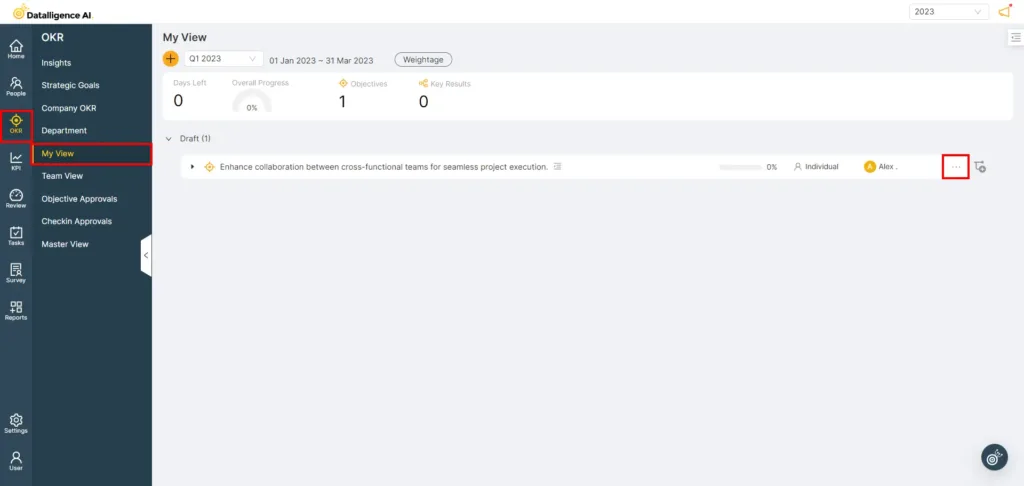
Step 1: To access the Main menu, look for the vertical list of options on the left side of the page.
Step 2: Click on “OKR” to open a submenu containing a list of options. From the list, select “My view” to open the page.
Step 3: In the objective, click on the “menu” option to duplicate the OKR.
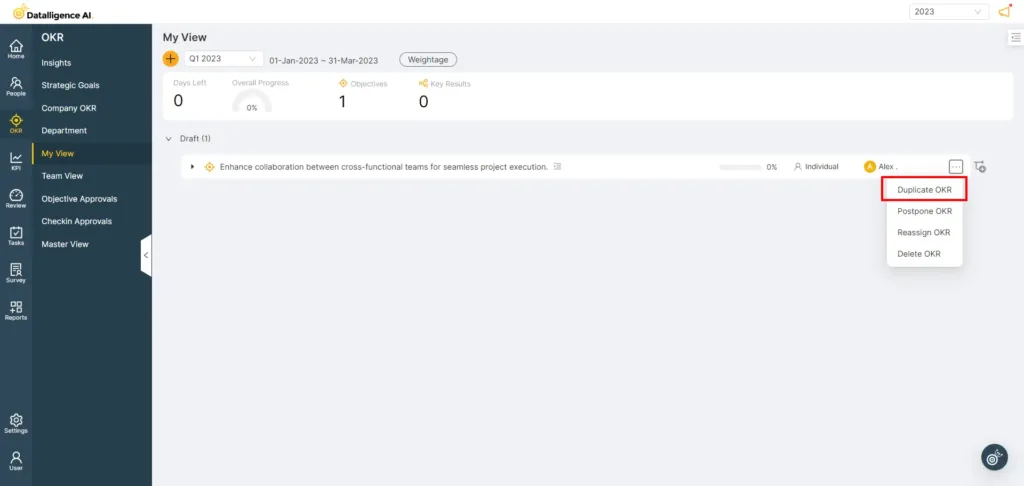
Step 4: Select the “Duplicate OKR” option from the dropdown menu.
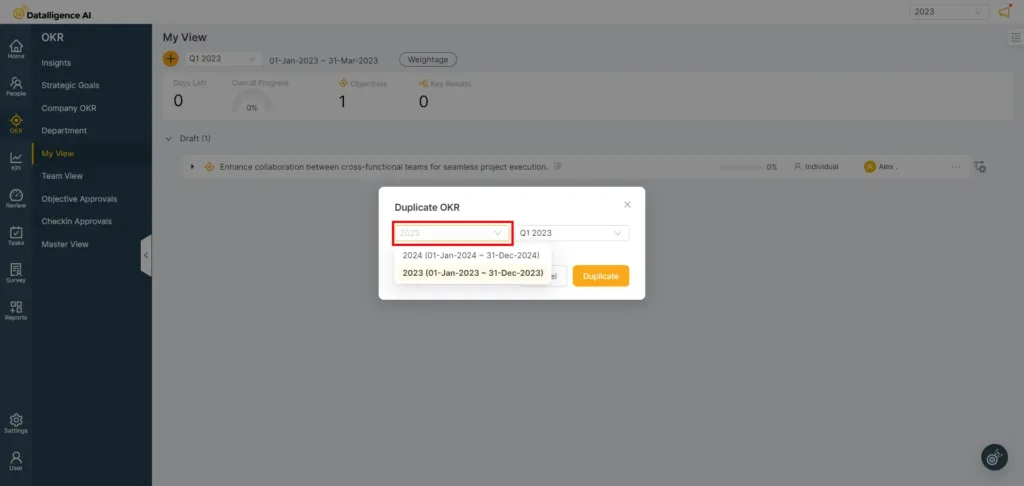
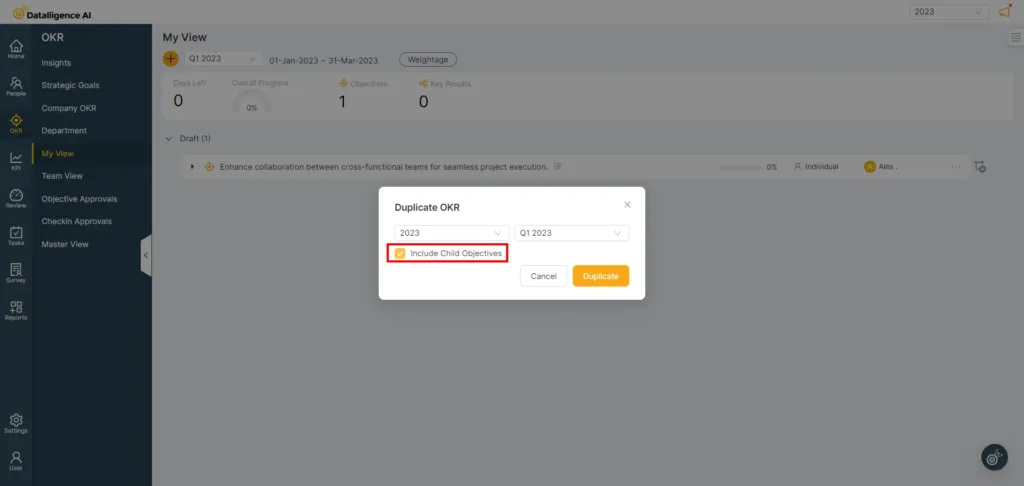
Step 5: In the “Duplicate OKR” modal, you can define the year and cadence.
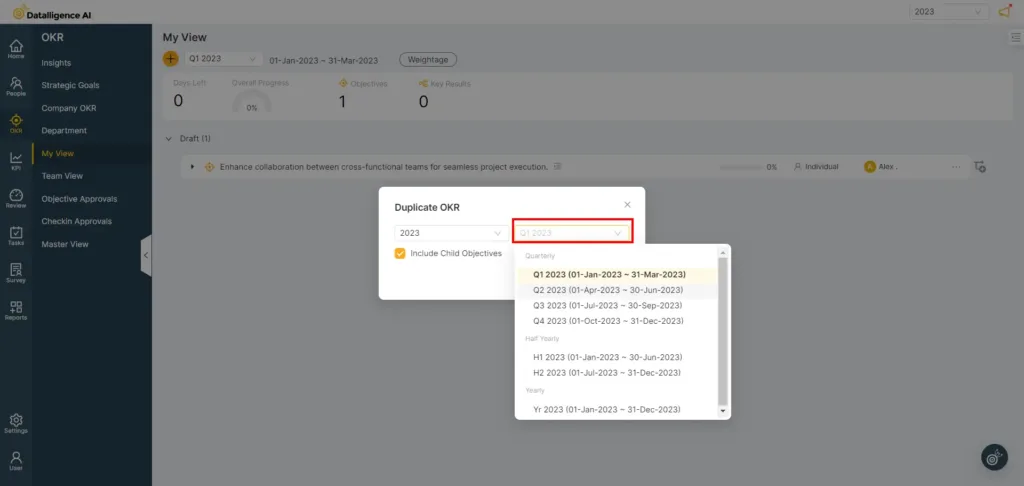
Step 6: To duplicate the OKR with the child objective, simply check the checkbox.
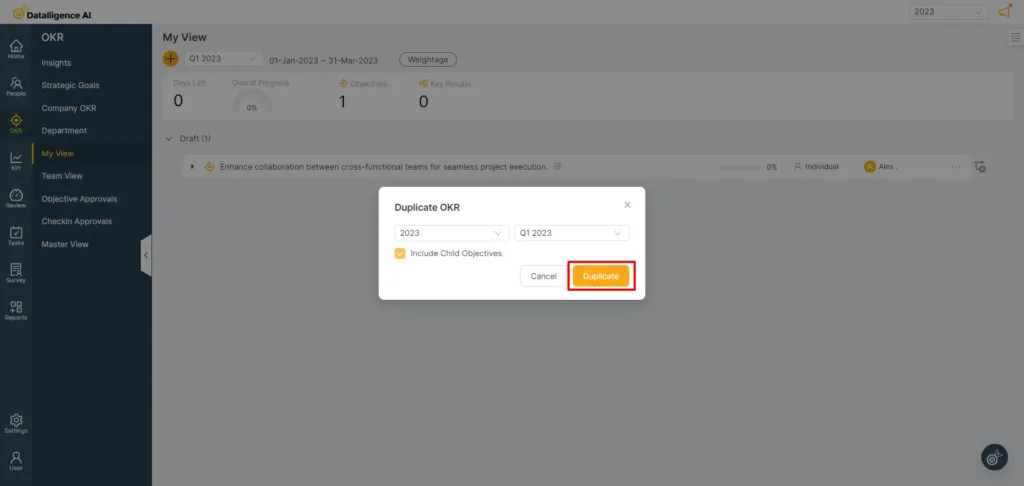
Step 8: Click “Duplicate” to duplicate the OKR
Note: You can also “Reassign” any duplicated OKRs to another user or team member after the duplication is complete.