Step 1: To access the Main menu, look for the vertical list of options on the left side of the page.
Step 2: Click on “People” to open a submenu with a list of options. In the submenu click “Exit”
Step 3: Select “User Managment” to exit user.
Step 3: Select “Exit User” to exit user.

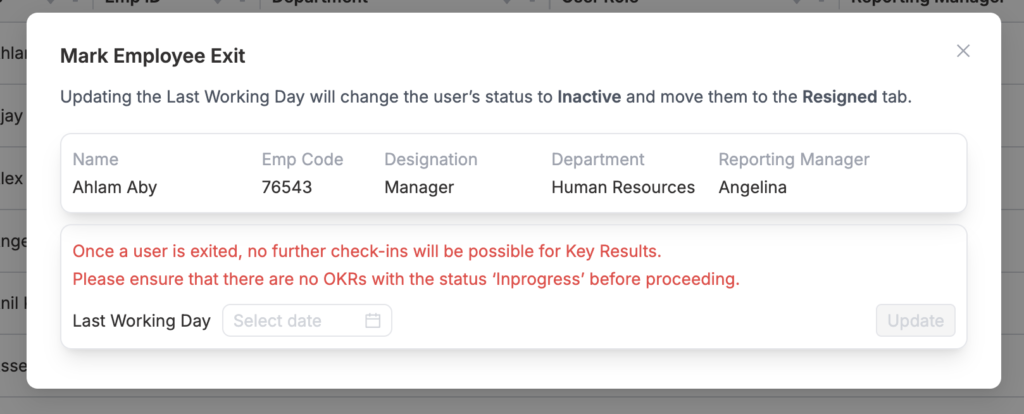
Step 4: Select the last working Date and click the “Update” button.
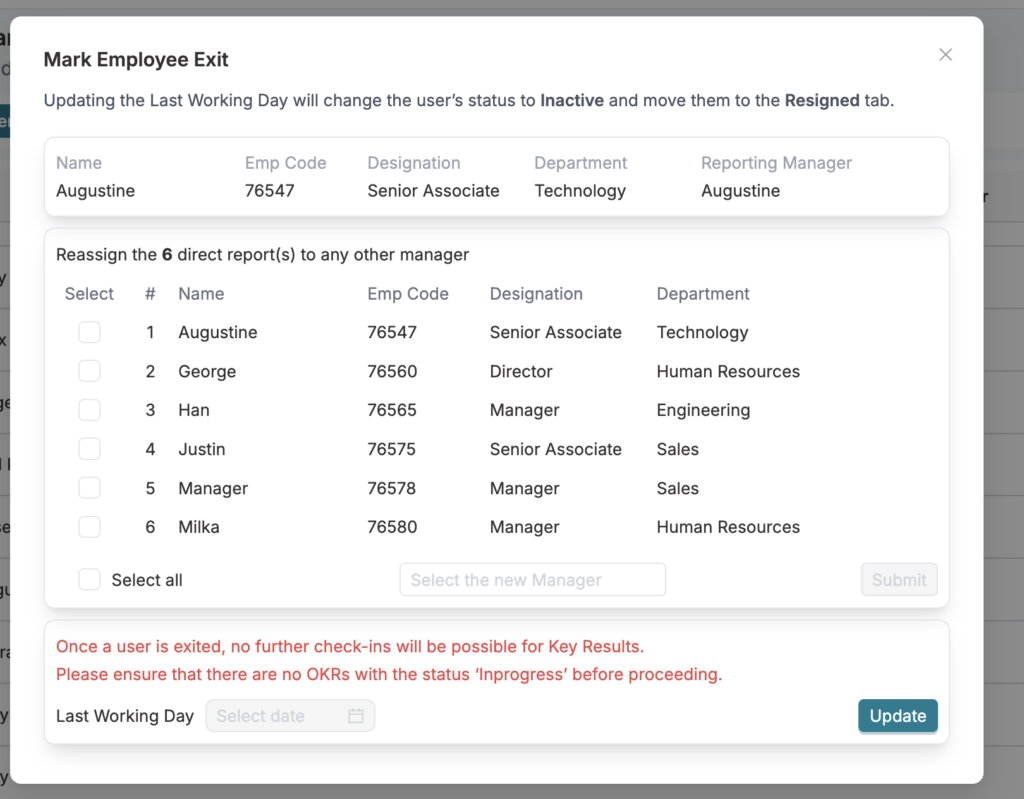
Step 5: As a manager, you must reassign your direct reports to another manager. Select the users or “Select all” you wish to reassign, choose the new manager, and click “Update” to confirm.
Step 6: If any Objectives and Key Results(OKRs)/KPIs remains open, Please close the OKRs/KPIs(if it is Company or Department) or reassign it to another user.
You can reach us by emailing 📧 cs@datalligence.ai or by raising a ticket 🎫 from our platform. Our team is here to swiftly resolve any issues you encounter! 👍